Map Assignees to Local Functions
Once entitlements have been mapped to a Local Function, the next step is to specify who receives them. Mapping assignees to the function tells EmpowerID which groups, roles, and other assignee types should be granted the function's entitlements.
Before you begin
Before mapping assignees, confirm that the Local Function has been mapped to its entitlements. See Map Entitlements to Local Functions for instructions.
Map assignees to the local function
Mapping assignees specifies who receives the entitlements associated with the function.
-
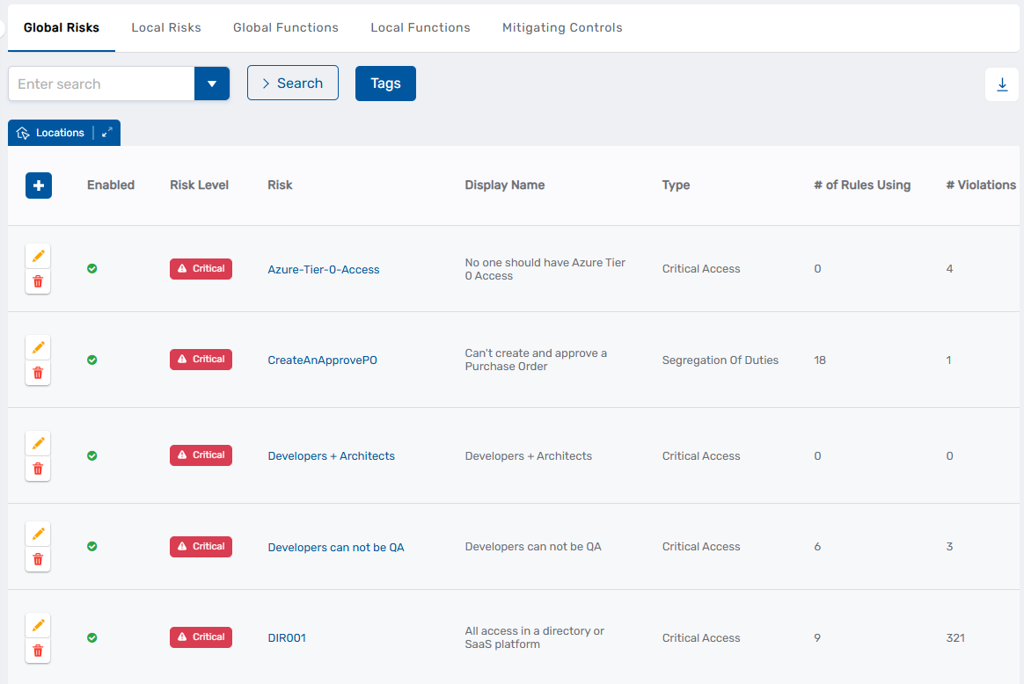
Navigate to Compliance > Risk Policies.
This opens the Risk Management page.
-
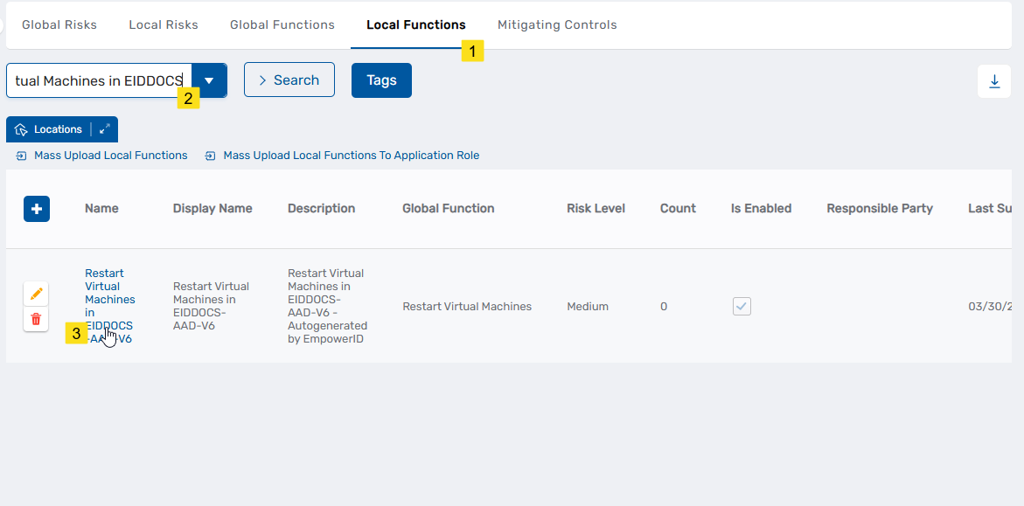
From the Local Functions tab, search for and click the Name link for the local function you want to configure.
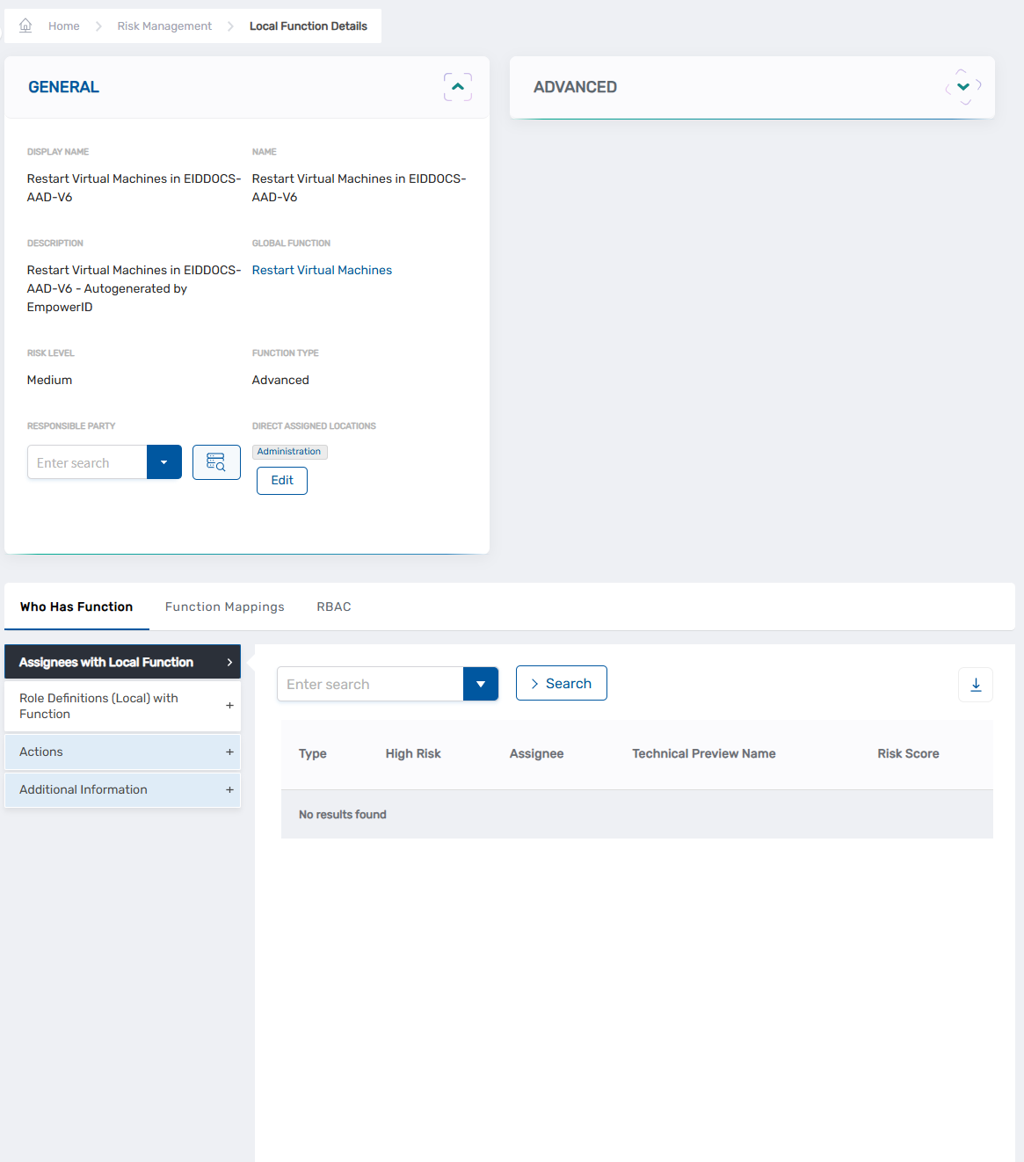
This opens the View One page for the local function.
-
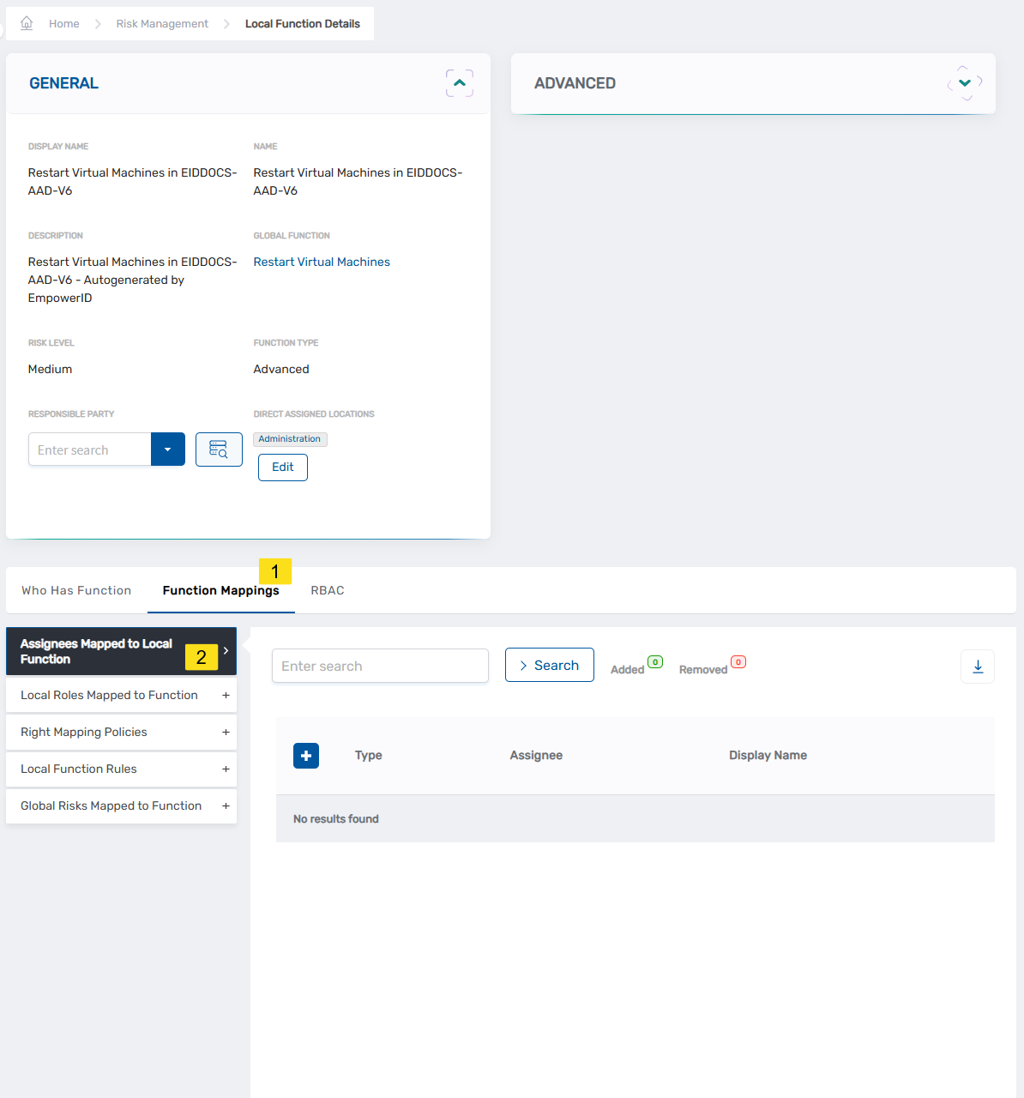
On the View One page, select the Function Mappings tab, then expand the Assignees Mapped to Local Function accordion.
-
Click the Add button.
-
In the Assignee Information dialog, select the assignee type from the Which type of assignee for this policy? field.
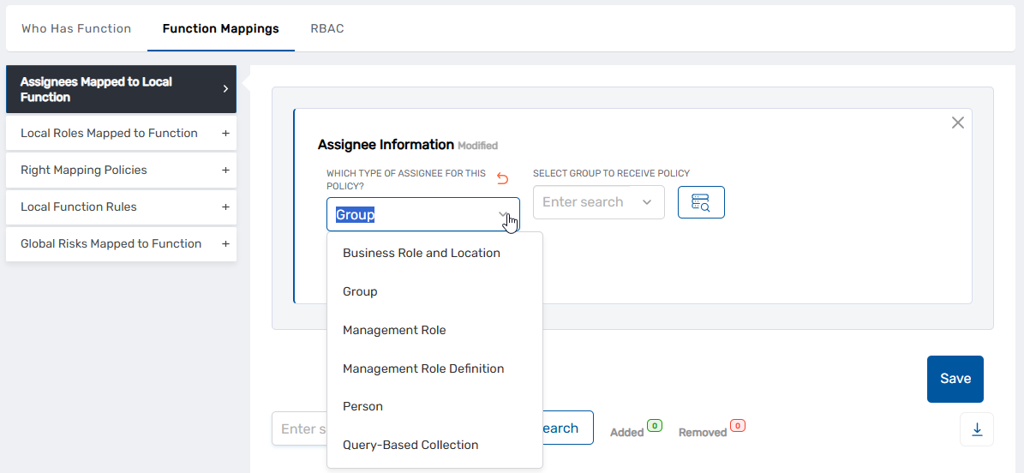
Note: Person appears as an option but is not a recommended choice. Assign the function through a Group, Business Role and Location, or Management Role instead.
-
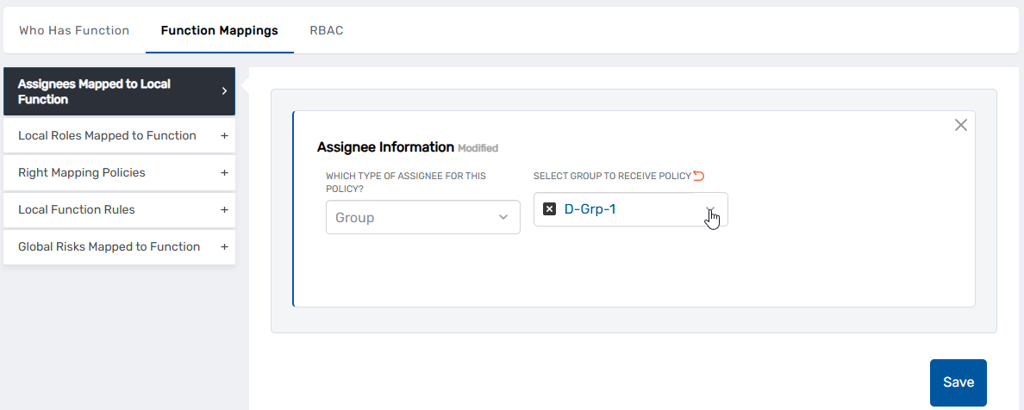
Search for and select the specific assignee for the assignee type.
-
Click Save.
-
Repeat steps 4–7 to add additional assignees as needed.
Next steps
To control whether changes to Local Function assignees require approval, see Configure Approval Flow for Local Function Assignment Maintenance.