Configure Approval Flow for Local Function Assignment Maintenance
When assignees are added or removed from a Local Function, the change is either executed immediately based on the RBAC assignment of the person performing the action, or routed for approval to designated approvers based on the approval policy configured for the Business Request Type linked to the workflow. This article covers how to configure that behavior and how to adjust the approval policy when approval is required.
Configure approval flow for Local Function assignee changes
-
Navigate to Low Code/No Code Workflows.
-
From the Workflows tab, Search for Update Assignee Az Local Functions and click the Display Name link in the search results.
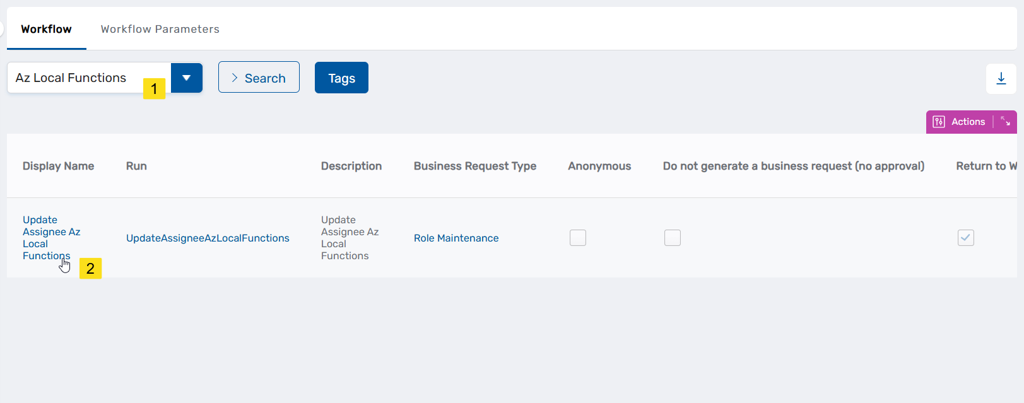
This opens the Workflow Details page.
-
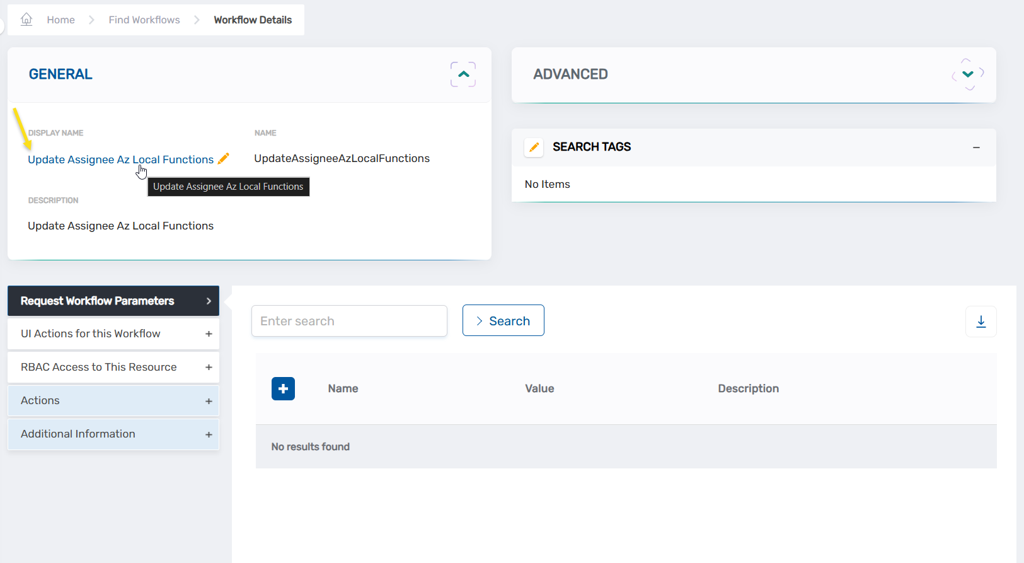
On the Workflow Details page, click the Display Name link to open the workflow in edit mode.
-
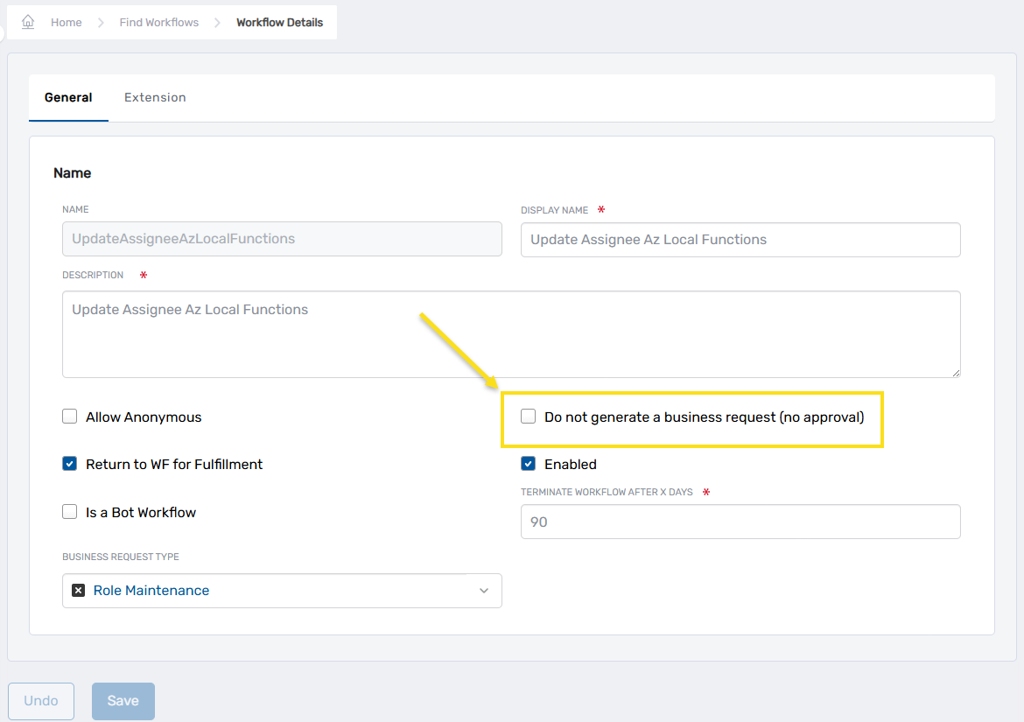
Locate the Do not generate a business request (no approval) setting and configure it as required.
- To execute changes immediately based on the requestor's RBAC permissions, enable this setting.
- To route all assignee changes through an approval workflow, disable this setting.
-
Save any changes made to the setting state.
-
If you disabled the Do not generate a business request (no approval) setting in step 4 and want to change the approval policy applied to assignee changes, navigate to Low Code/No Code Workflow > No Code Flows.
-
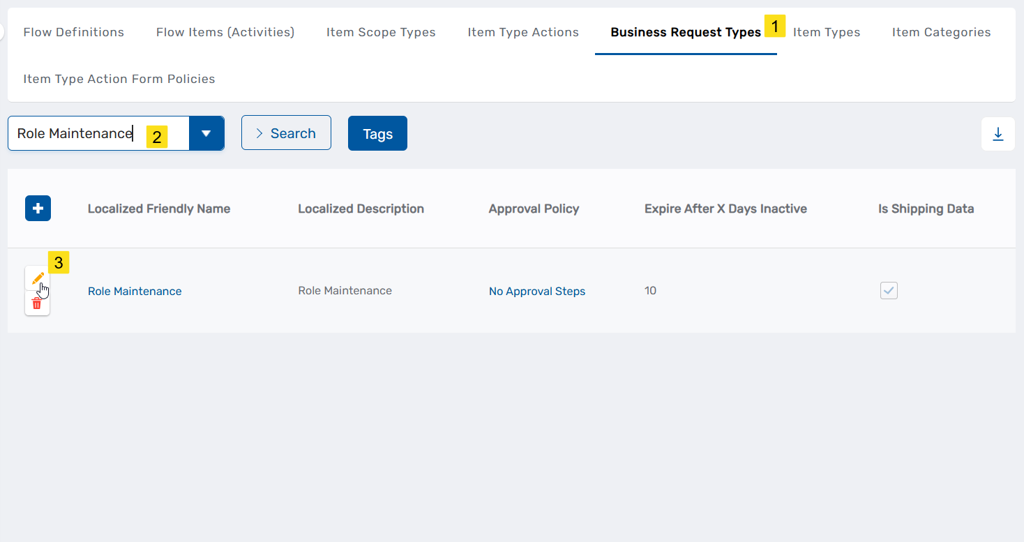
Select the Business Request Types tab, search for Role Maintenance and click the edit button for it.
-
In the edit dialog, clear the current Approval Policy field, select the desired policy, and click Save.
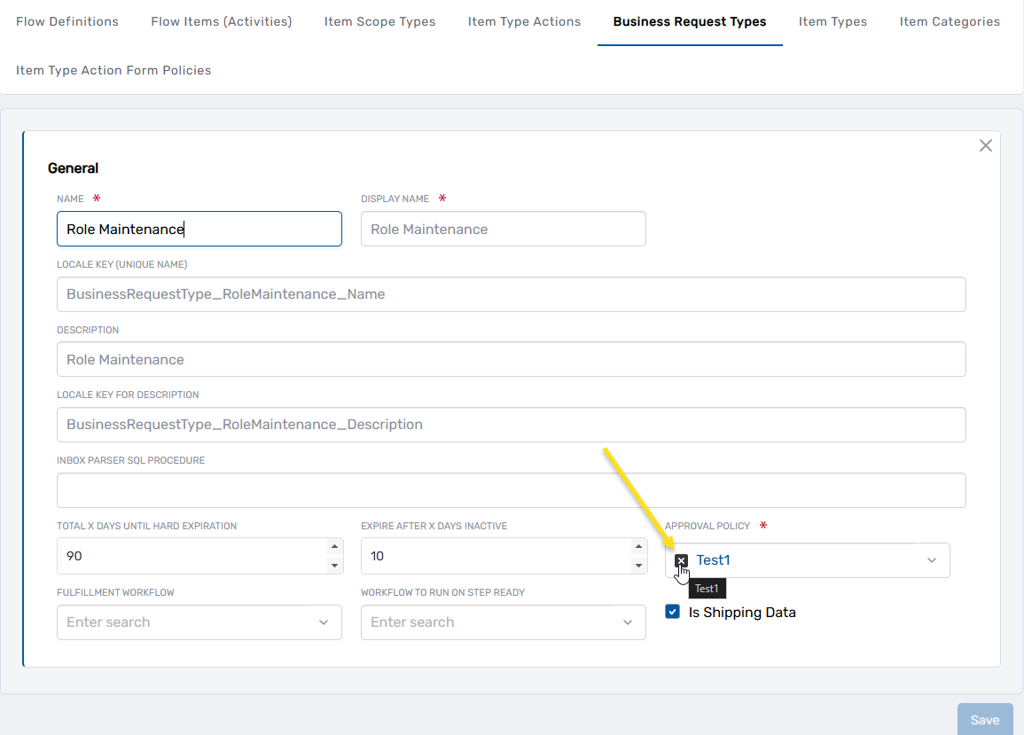
Note: The Role Maintenance Business Request Type may be shared with other workflows. Changes to its approval policy affect all workflows that reference it.
For guidance on configuring approval policies and steps, see Approval Engine Overview.