Restore Deleted Groups
Deleted groups can be restored in EmpowerID, recovering both the group and its members. When a group is restored, all members who belonged to the group at deletion are automatically re-added.
Prerequisites
To restore deleted groups, you need the ACT and UI roles for group object administration. See Access Needed to Manage Groups for the specific roles required.
note
Groups can only be restored during the directory's tombstone lifetime period (typically 180 days for Active Directory). After this period, deleted groups are permanently removed and cannot be recovered.
Restore Deleted Groups
- On the navbar, expand Identity Administration and select Groups.
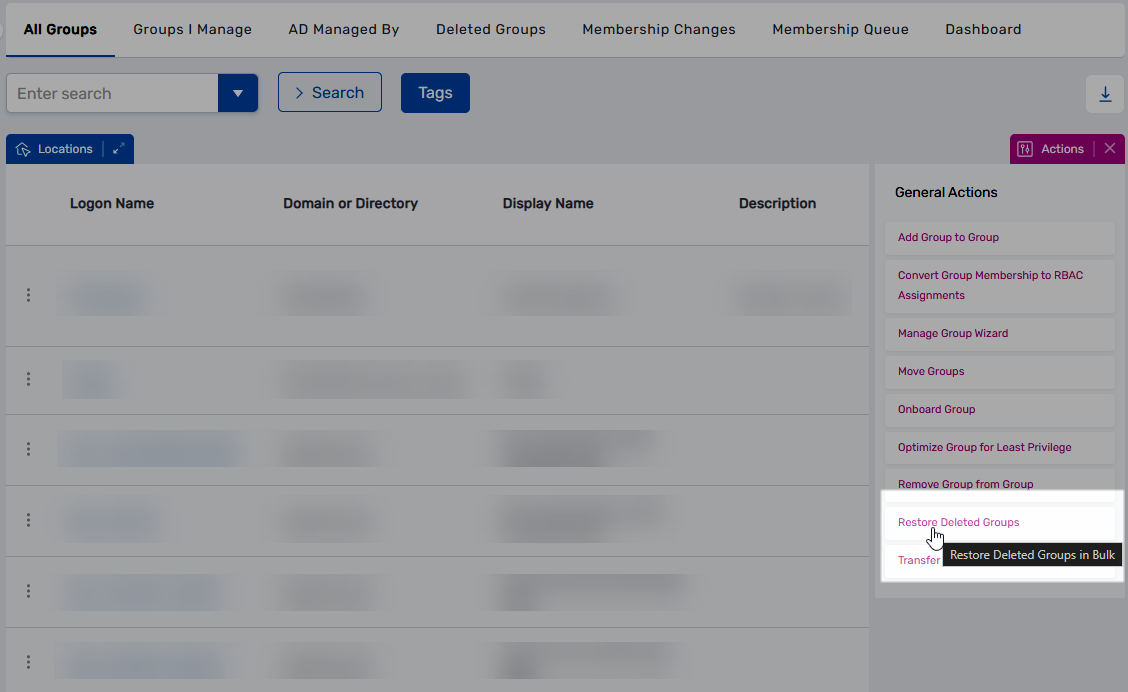
- Select the Deleted Groups tab.
- Click the Restore Deleted Groups action.
- Search for the deleted group you want to restore.
- Select the checkbox for the group.
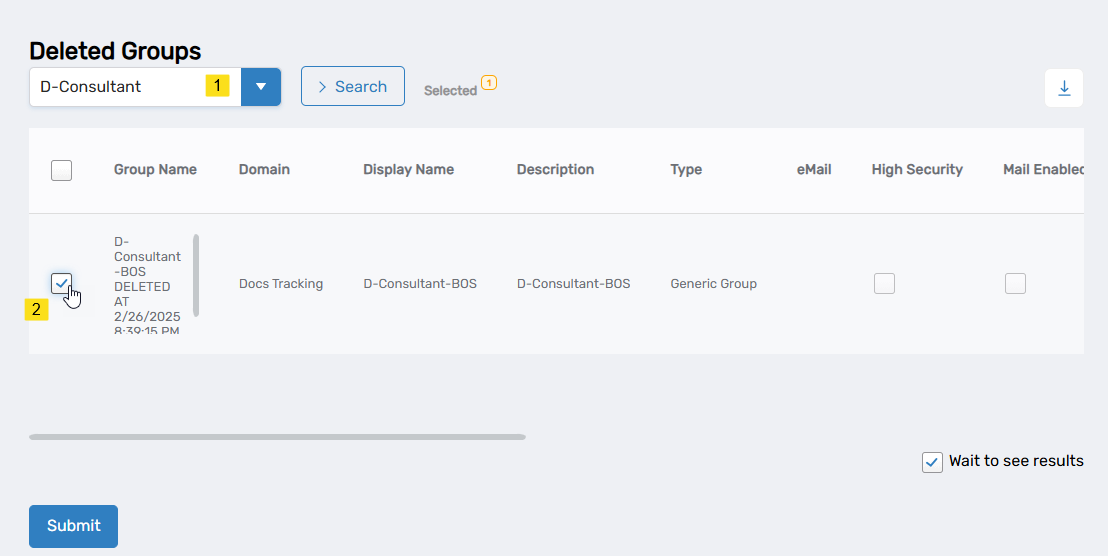
- Repeat steps 4-5 for each additional group you want to restore.
- Click SUBMIT to continue.
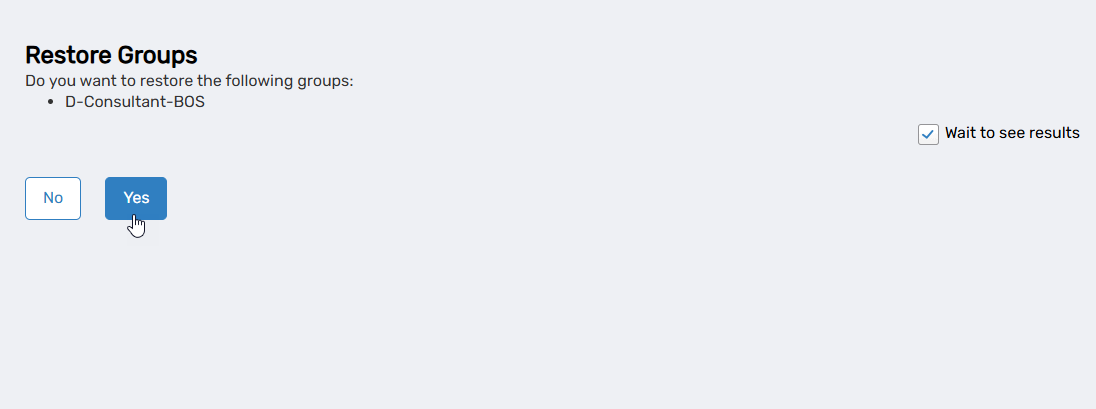
- Click YES to confirm restoration, or click NO to cancel.
- Click OK to close the Operation Execution Summary.
Results
After completing the workflow:
- The group is restored from the deleted groups container
- The group is returned to active status in the directory and EmpowerID
- All members who belonged to the group at deletion are re-added
- The group's last-modified timestamp is updated to reflect the restoration
- The restoration is logged in the EmpowerID audit log
- The group can be managed like any other active group
Related Topics
- Delete Groups – Remove groups from the directory
- Onboard Groups – Create new groups
- About the View One Group Page – Manage restored groups