Things to Do
The Things to Do feature in the EmpowerID Chatbot provides users with quick access to frequently used self-service actions. Users can:
- Request access to Groups or Management Roles
- Launch approved self-service workflows directly from Teams
The Chatbot understands natural language commands like:
"create shared credential" or "self service bot"
These commands trigger the Things to Do workflow.
See Chatbot Commands for more supported inputs.
How to Use Things to Do
- In the Chatbot, type help to display the options menu.
- Click on the Things to Do button.

- Choose from the available options:
- Click Request Access to request access to Groups or Management Roles.
- Click Self-Service to launch approved self-service workflows.

- Follow the prompts based on the action selected.
Request Access Options
If you choose Request Access, you can manage:
- Group Memberships
- Management Roles & Definitions
- Group
- Management Roles & Definitions
🔷 Request Access to Group
- Click Group to manage group-based access.
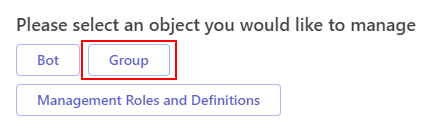
- The Chatbot will display a list of Pre-approved Groups.
- Select the group you wish to join and submit the request.
🛡️ Request Access to Management Roles
- Click Management Roles and Definitions.
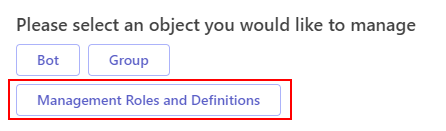
- The Chatbot will show Pre-approved Management Roles.
- Select the appropriate Management Role and submit your request.
Self-Service Workflows
If you choose the Self-Service option, the Chatbot will display all workflows that you are authorized to run.
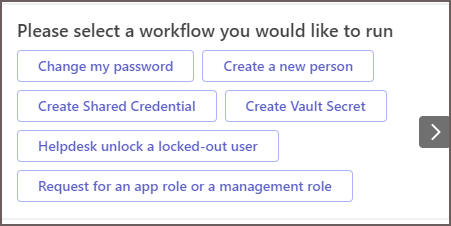
These workflows are pre-configured by your administrator and may include tasks like password changes, credential creation, and more.
Related Documentation
- Change Password – Change your password using the Chatbot.
- Create a new Person – Create a new EmpowerID Person.
- Create Shared Credential – Store and access shared credentials.
- Create Vault Secret – Securely store and retrieve Passwords, Credit Cards, and Notes.
- Helpdesk unlock a locked-out user – Helpdesk agents can unlock users directly from the Chatbot.
- Request for an app role or a management Role – Request access to roles with a few clicks.