Invite People
Send email invitations to prospective users to join your organization through self-registration. EmpowerID creates an inactive Person object and emails the invitee a registration link. The invitee must complete registration within the specified timeframe, or EmpowerID automatically deletes the inactive account.
Prerequisites
- Access to Identity Administration in EmpowerID
- Permissions to invite users
- Email address for the prospective person
- Business role and location information for the invitee
Invite a Person
-
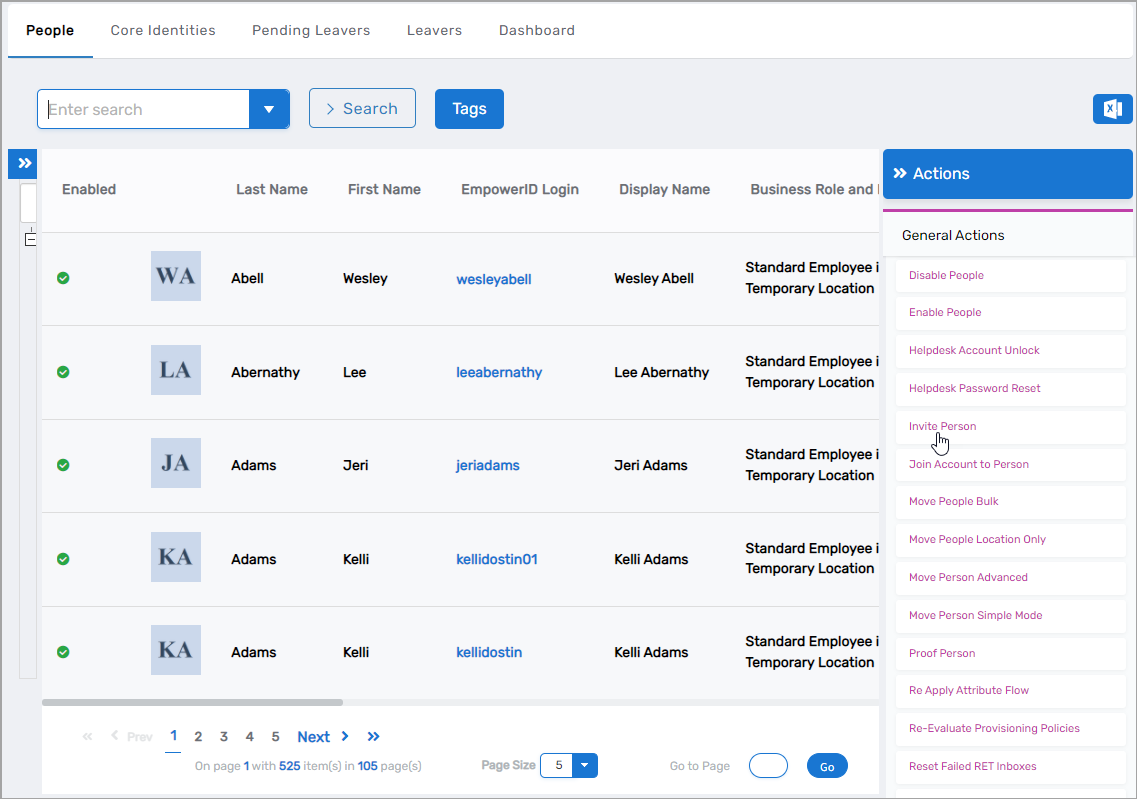
On the navbar, expand Identity Administration and select People.
-
Click Invite Person.
This opens the Invite User form.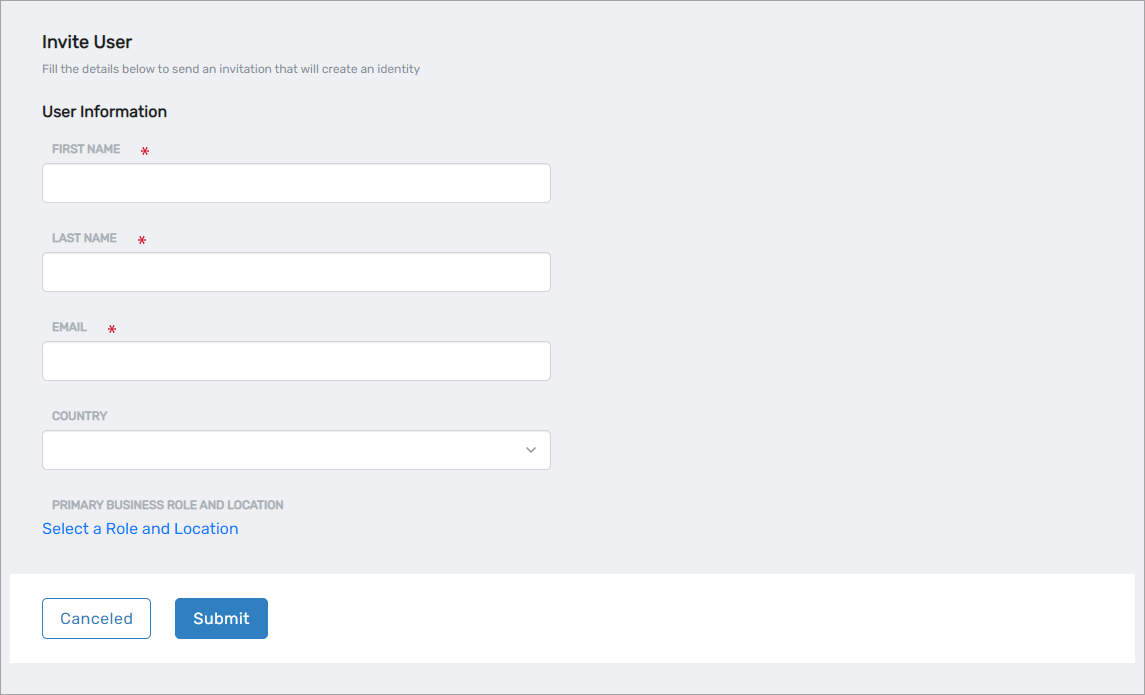
-
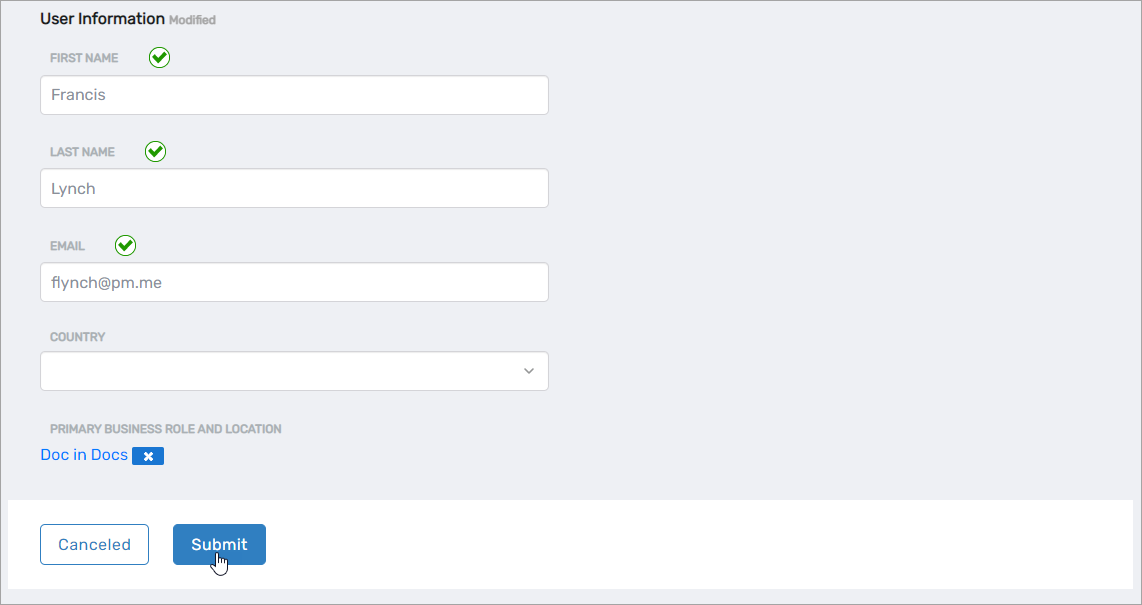
Enter the following information:
- First Name - Invitee's first name
- Last Name - Invitee's last name
- Email - Invitee's email address (required for receiving invitation)
- Country - Invitee's country (optional)
- Primary Business Role and Location - Click Select a Role and Location, then:
- Search for and select a Business Role from the Business Role tree
- Click the Location link and select a location from the Location tree
- Click Select to confirm the selection
noteAll people must have a Business Role and Location assigned.
-
Click Submit.
-
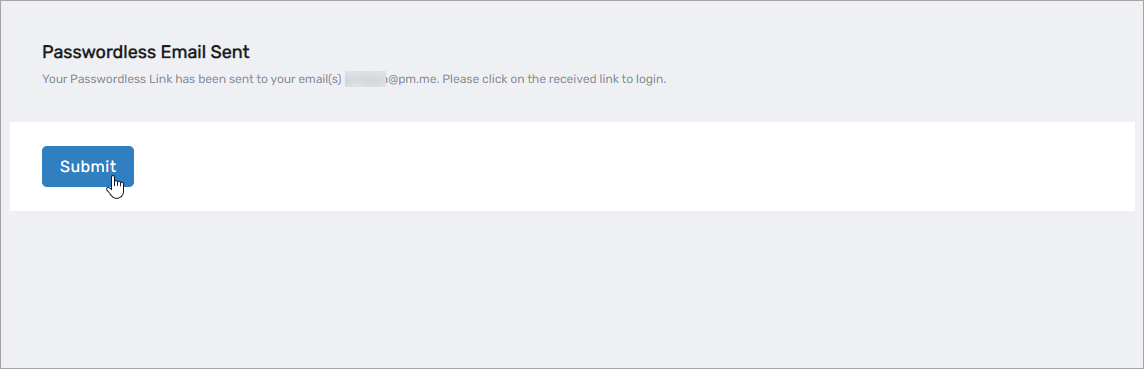
Click Submit to close the Passwordless Email Sent confirmation message.
Results
- Inactive Person object is created in EmpowerID
- Invitation email with registration link is sent to the specified email address
- Invitee receives instructions to complete registration
- Upon successful registration:
- Person object becomes active
- Person can authenticate to EmpowerID
- Person is assigned to the specified business role and location
- If registration is not completed within the configured timeframe:
- Inactive Person object is automatically deleted
- No further action is required
Understanding the Registration Process
The invitee receives an email containing:
- Welcome message
- Registration link
- Expiration timeframe
- Basic instructions for completing registration
Monitor pending invitations through the People management interface to track registration status and follow up with invitees as needed.